


Showing posts with label lighting. Show all posts
Showing posts with label lighting. Show all posts
When a couple has so much energy and enthusiasm during their engagement session, and are so adorable together, you just know that photographing their wedding will be fun to photograph. Descha & Arland's engagement session @ Kartipah - wedding guest house, more wedding and prewedding photos please come to my site http://www.prassprasetio.com


 Everyone loves smooth, creamy portraits that a Beauty Dish creates, but hates paying the ridiculous prices for the units, usually starting at around $200. So why not hack yourself one? David Tejada did!
The commercial photographer decided to make one himself for his Speedlight (although this can be used with pretty much any large flash unit) after looking at some available online, which just weren’t worth the cost, in his opinion. So after finding a little bit of inspiration from Flickr member Tyler Burk, adding his own special ingredient in the form of a convex mirror to help bounce light, and just a little bit of effort, David has himself a REALLY nice looking beauty dish for a tiny fraction of what even the cheapest units go for online.
Made out of a garden pot, an empty CD spindle, a drain gutter downspout, some velcro, and spraypaint, this beauty dish creates some silky lighting for your portraiture, with a reported loss of light of only about a stop and a half, not too shabby for a DIY hack at all. The top image here is the bare flash, the bottom is with the beauty dish.
 In last couple of years,I’ve made several great friends who work in Photo Labs. When asked about the biggest mistake they see every day; the response is always the same. They usually answer after a long sigh, "These people just don't understand light."
Remember: all cameras average the existing light. What that means is, just because you can see it . . . doesn't mean the camera can. The human eye is far more sophisticated than the most expensive camera money can buy. If . . . for example, you stand someone in front of a bright window, your eye can still tell who that person is . . . but the camera can not, at least, not without help. Your eye will zoom into a person's face and ignore that bright light around them, but the camera will not.
The camera's whole purpose in life is to make an image that is 18% gray. Long ago, someone decided that 18% gray was as close to the human eye, as a camera can get. But if for example, 80% of the picture frame is filled with light that is brighter than 18% gray, what does the camera do? It tries to average out the given light. It will take your best friend and makes him or her, a silhouette. Don't get mad at the camera, it's only doing what it's told to do.


Remember, if you want a subject to actually be white (a wedding dress for example) you will have to give the shot more light than the camera suggest. If you want it to actually be black, (a black horse for example) you have to give the shot less light than what the camera is indicating.
find my another photos in my deviantart

When I started on the Internet, I was a photographer. I started to surf the Web. After several months of research tutoriel photography and photo link, I realized that most of these sites used thumb tack tests format
(usually 1 "x 1 ¼ inch or less). This is back in the days that have a 28.8 modem is considered at high speed.
The reason for these inch nails were so small that it is has taken so long for pictures to come on the page. When you click on an individual thumbnail, a larger version of the image has been
(usually 4x6 or more), but it would take a very long time to do so.
Search all major images I could find, I saved the ones I liked, and brought them into Photoshop where I could be compressed. I made my own site with images that have measured a huge 2 inches x 2 ½ inches, which is better than the small thumb nails, I have seen anywhere else. I quickly found that over 90% of their images were recorded at 72dpi, so that what I did. For several years I have saved all my pictures to 2 inches x 2 ½ inches and 72dpi.
As my interest in photography continued to grow, I realized that the photograph of a portrait website could be cool, but it gave me no money. I needed to set up a site of my own photos. At the moment, I was using a 56k modem and decided my photos must be greater. When I scanned in my pictures I usually do 100% 72dpi, so that all my pictures online now where size 4x6.
After a few years, my laboratory has begun to offer images on CD. They were also 72dpi if I did not have to scan and more. Life was good, but they have used file sizes as 44 inches x 56 inches at that time, I can not really understand. I did not know anybody who ever printed something that big, again, I took these images compressed and reduced to 4x6 inches.
Finally, I started doing the same thing, but saving them as 5x7 inches. My new site www.prassprasetio.com actually looks impressive and very quickly loaded. Yes, I also finally strengthened at high speed real (1.5mbs a sec.) Life was good again, until I returned and began to pursue one of my great loves (writing). I am rather than using this site as a gigantic portfolio, why did I not offer something to sell as well. You know the old adage "write what you know best? For me, it makes perfect sense that I should start writing about photography "how to" advice. That's when things started to get complicated.
When I looked around self publishing and printing on demand publication, I found that they wanted all images at 300 dpi or more. It was a total shock to me. I had thousands of images ready to use, but they were all rescued in 72dpi. I thought Photoshop could save me again if I started to convert to 300dpi, but something is not right. My 300dpi images considered worse than my 72dpi images. I was at a loss. Then I returned and my research.
The reason why the images on a CD of the laboratory are so enormous (measure) is that you can use images in any format. 72dpi is exactly 25% of 300dpi. If you want your images 300dpi appearance razor sharp as the images on your 72dpi done online, printing must be 75% smaller. In other words, an image that measures 44 inches x 56 inches 72dpi would be the same quality as the image that measures 11 inches x 14 inches at 300dpi.
If you take a picture that was originally 5x7-inch 72dpi and try to convert directly to 300dpi, this is not a pretty picture. Similar to the equivalent of the right f-stop and shutter speed right, you should take two factors into account! Size of DPI and are always linked together. You can not change without affecting others. It is much easier to do something that looks good smaller, than trying to expand something after the fact and try to make it look even close to the original. However, the best photo tip I can give a new beginning today is: ALWAYS save your images bigger than you intend to use. Do not waste 15 years of your life and thousands and thousands of images that can be used in a way. Always save big!
intro
Light Studio for Photographers (Tabletop)
This instructable shows you the easy, inexpensive, and quick way to create a light box
that can get you the same photographic results as a 150 dollar light box.
The only difference is that this one can ultimately be built for under 10 dollars.
For those of you out there that don't mind spending a few extra bucks or for some reason hate recycling,
you can spend up to 30, but hey, its still cheap and way less than those "official" light box rip offs.
step 1
Get Materials
Refer to the image for materials.
Keep in mind what you may plan to shoot pictures of, for it will be a good factor in deciding
how big you want your box to be. Since were laying poster board in the box, I would recommend that you keep
the boxes' dimensions within the width of the poster board.
The two colors of poster board I would recommend getting are white and black, but of course its also good
to experiment and I find that blue and red also make good backgrounds.
But, use any colors you wish. The color of the poster board sets the "mood" for the picture i.e.
black background would be for like sleek watches or high dollar items, where as white may be for something
like a vase with flowers, or something "light" and "airy"
step 2
Prep the Box
The first thing you will need to do is get the box ready so you can apply the screen windows
(vinyl shower curtain in my case)
You only assemble the bottom of the box, leave the top of the box flaps open, but make sure the bottom is taped shut.
Try to tape the flaps together very closely to avoid a lot of light to get through.
Now lay the box on its side and assuming your box is square the side that is now facing up is your new top.
This is how the box will be oriented from now on, whenever you take photographs.
Make sure the open end is towards you and cut the top and bottom flaps off of the box, but make sure you leave
the left and right flaps.
Now (I used a carpenters square but I assume most people don't have a 3 foot square laying around, basically all you need is a straight edge.
Get your marker and trace straight lines parallel to all edges creating a square shape on each side of the box, left, right, top and bottom.
Make sure to leave about 2 inches of space between your lines and the edge of the box. If you have a larger box, I would go with 3 or more inches.
Use your judgment on this one. Now if it helps, keep using your straight edge (whatever you may have used) and use it
to aid you in using the utility knife to cut the squares out of each side of the box.
Be sure to leave the former bottom now currently the back of the box taped up.
Don't cut the back of the box that you taped up.
The picture should clear any questions you may have up.
Areas in gray are the sections of the box that are to be eliminated.
step 3
Cut and Apply Light Diffusing Material to Box Windows
This step involves cutting your material, in my case a vinyl shower curtain to fit the open spaces
on the sides of the box.
Get your measuring tape or w/e you have and measure the square spaces in the sides of your box to get an idea
of how big to cut your squares of material.
Going past the edge is key here, in case you may not have realized that.
So if your square space is 18 inches by 18 inches then you want your square piece of material to be 20 or 21 inches.
The look of the box isn't important, so going over the edge and doing a crappy tape job isn't the end of the world.
You can still make it look neat if you tape the material on from the inside of the box.
You could also glue it if that floats your boat.
The 2 or more inches of space you left at the edges is where you will attach the light diffusing material to, whether you do it from the inside of the box or outside of the box.
As you can see I just taped mine on the outside with duct tape. Look at the image notes.
The bottom of the box does not need covered with the light diffusing material, leave the hole..as a hole.
The poster board will be covering the bottom anyway.
Note: Try to keep your material tight or "stretched" so to speak so its not all saggy or droopy in effort not to cause serious shadows or detectable light distortion....
creases aren't a big deal as you can see my shower curtain has creases in it and I have found no effects in my photos.
step 4
Buying Poster Board and Lights
Now your box is basically done. All that we need now are light sources and backdrops.
You can use anything as a backdrop if you are one of those creative types and can make it work.
I find that poster board works very well. The thing to make sure is that the intersection of the bottom and back of box is underneath the curved portion of your backdrop.
This is crucial in order to create a photo without having a crease revealed, and rather makes an illusion of having an infinite nothingness behind your subject.
The more gradual the curve of the backdrop, the less immediate gradient of shadow.
It just takes some experimenting, but you will find that it works fine the first time you try it.
You can use lamps that you already have or buy new ones from Walmart or something.
step 5
Setting Up Lighting
Now that you have everything done you are ready to take some photos.
The only thing you may want to do now is learn more about lighting and still life photography.
Arranging the lights and angles can drastically change the effects or mood of your photos, along with other various factors.
There are other articles and tutorials that go in depth about still life photography and studio shooting that you can look into,
I figured you would get more professional advice by searching Google than me mushing a few things here and there in with this instructable.
I hope you enjoyed this instructable, it was my first one.
Please let me know if you have any suggestions, or any questions that I may have left unclear.
photo by :
Light Studio for Photographers (Tabletop)
This instructable shows you the easy, inexpensive, and quick way to create a light box
that can get you the same photographic results as a 150 dollar light box.
The only difference is that this one can ultimately be built for under 10 dollars.
For those of you out there that don't mind spending a few extra bucks or for some reason hate recycling,
you can spend up to 30, but hey, its still cheap and way less than those "official" light box rip offs.
step 1
Get Materials
Refer to the image for materials.
Keep in mind what you may plan to shoot pictures of, for it will be a good factor in deciding
how big you want your box to be. Since were laying poster board in the box, I would recommend that you keep
the boxes' dimensions within the width of the poster board.
The two colors of poster board I would recommend getting are white and black, but of course its also good
to experiment and I find that blue and red also make good backgrounds.
But, use any colors you wish. The color of the poster board sets the "mood" for the picture i.e.
black background would be for like sleek watches or high dollar items, where as white may be for something
like a vase with flowers, or something "light" and "airy"
step 2
Prep the Box
The first thing you will need to do is get the box ready so you can apply the screen windows
(vinyl shower curtain in my case)
You only assemble the bottom of the box, leave the top of the box flaps open, but make sure the bottom is taped shut.
Try to tape the flaps together very closely to avoid a lot of light to get through.
Now lay the box on its side and assuming your box is square the side that is now facing up is your new top.
This is how the box will be oriented from now on, whenever you take photographs.
Make sure the open end is towards you and cut the top and bottom flaps off of the box, but make sure you leave
the left and right flaps.
Now (I used a carpenters square but I assume most people don't have a 3 foot square laying around, basically all you need is a straight edge.
Get your marker and trace straight lines parallel to all edges creating a square shape on each side of the box, left, right, top and bottom.
Make sure to leave about 2 inches of space between your lines and the edge of the box. If you have a larger box, I would go with 3 or more inches.
Use your judgment on this one. Now if it helps, keep using your straight edge (whatever you may have used) and use it
to aid you in using the utility knife to cut the squares out of each side of the box.
Be sure to leave the former bottom now currently the back of the box taped up.
Don't cut the back of the box that you taped up.
The picture should clear any questions you may have up.
Areas in gray are the sections of the box that are to be eliminated.
step 3
Cut and Apply Light Diffusing Material to Box Windows
This step involves cutting your material, in my case a vinyl shower curtain to fit the open spaces
on the sides of the box.
Get your measuring tape or w/e you have and measure the square spaces in the sides of your box to get an idea
of how big to cut your squares of material.
Going past the edge is key here, in case you may not have realized that.
So if your square space is 18 inches by 18 inches then you want your square piece of material to be 20 or 21 inches.
The look of the box isn't important, so going over the edge and doing a crappy tape job isn't the end of the world.
You can still make it look neat if you tape the material on from the inside of the box.
You could also glue it if that floats your boat.
The 2 or more inches of space you left at the edges is where you will attach the light diffusing material to, whether you do it from the inside of the box or outside of the box.
As you can see I just taped mine on the outside with duct tape. Look at the image notes.
The bottom of the box does not need covered with the light diffusing material, leave the hole..as a hole.
The poster board will be covering the bottom anyway.
Note: Try to keep your material tight or "stretched" so to speak so its not all saggy or droopy in effort not to cause serious shadows or detectable light distortion....
creases aren't a big deal as you can see my shower curtain has creases in it and I have found no effects in my photos.
step 4
Buying Poster Board and Lights
Now your box is basically done. All that we need now are light sources and backdrops.
You can use anything as a backdrop if you are one of those creative types and can make it work.
I find that poster board works very well. The thing to make sure is that the intersection of the bottom and back of box is underneath the curved portion of your backdrop.
This is crucial in order to create a photo without having a crease revealed, and rather makes an illusion of having an infinite nothingness behind your subject.
The more gradual the curve of the backdrop, the less immediate gradient of shadow.
It just takes some experimenting, but you will find that it works fine the first time you try it.
You can use lamps that you already have or buy new ones from Walmart or something.
step 5
Setting Up Lighting
Now that you have everything done you are ready to take some photos.
The only thing you may want to do now is learn more about lighting and still life photography.
Arranging the lights and angles can drastically change the effects or mood of your photos, along with other various factors.
There are other articles and tutorials that go in depth about still life photography and studio shooting that you can look into,
I figured you would get more professional advice by searching Google than me mushing a few things here and there in with this instructable.
I hope you enjoyed this instructable, it was my first one.
Please let me know if you have any suggestions, or any questions that I may have left unclear.
photo by :
 Lighting atau sebut saja pencahayaan adalah faktor penting dalam fotografi. Selain pengaturan teknis pada setting kamera, pengaturan cahaya bisa menentukan bagus tidaknya sebuah foto dan dalam beberapa foto bisa menambah kekuatan kesan yang yang akan disampaikan oleh fotografer. Pengaturan arah, kualitas dan kuantitas dari cahaya bisa membuat efek dramatis dari foto yang kita buat, dengan demikian foto tersebut tidak datar dan biasa-biasa saja.
Arah cahaya.
Arah cahaya bisa datang dari segala arah atau 360 derajat kemungkinan arah datangnya cahaya ke object. Apabila kita tidak bisa mengatur arah cahaya sesuai dengan kebutuhan kita, cara lain adalah dengan memindahkan obyek yang kita foto untuk menyesuaikan arah cahaya yang ada atau kita bisa menciptakan cahaya sendiri.
 Front light
Cahaya datang dari depan, hal ini kita sering gunakan pada internal flash pada kamera kita. Dengan front ligth sebenarnya sangat mudah dan sederhana, tetapi pada tingkat lanjut, hasil foto akan sedikit membosankan, mengurangi detail dari obyek dan membuat background sedikit gelap karena kurangnya intensitas cahaya dari depan.
Sunlight (high front light)
Cahaya datang dari depan atas, dengan kondisi demikian bisa membuat scene bagus dan warna bisa terliat / keluar. Tapi hati-hati efek bayangan yang justru mengganggu pada mata, hidung dan lainnya apabila kita membuat foto wajah. Selain itu biasanya model akan terganggu karena silau, sehingga cenderung memercingkan mata dan sedikit kaku / tegang.
 Side light
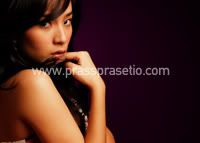
Cahaya datang dari samping sekitar 45 derajat dari angle. Cahaya seperti ini sangat cocok digunakan untuk menghasilkan foto yang menonjolkan texture, dimensi, shape yang biasa diperlukan pada portrait photography. Dalam side ligth kita harus hati-hati mengatur intensitas dan kualitas cahaya, karena bisa menyebabkan over / under pada satu sisi obyek.
Back light
Cahaya datang dari arah belakang obyek bisa memberikan efek yang dramatis pada portrait, tetapi hati-hati dengan pengaturan yang kurang sesuai bisa mengurangi detail obyek dan membuat efek lens flare.
Pengaturan kombinasi yang tepat dari arah cahaya akan menghasilkan foto yang bagus dan dramatis. Hati-hati dalam menentukan kapasitas, intensitas dengan mengatur sumber cahaya ataupun mengatur jarak yang tepat antara obyek dan sumber cahaya.
waterghost,photos by me


